

Download Nine – email organizer, task manager, calendar sync, multi-account email, productivity tool, desktop app
Overview
Nine is a desktop application designed to streamline email management and personal productivity by consolidating multiple email accounts, calendars, contacts, and tasks into a single, unified interface. The software targets professionals and power users who manage numerous accounts across personal and work environments, seeking efficiency and organization without the clutter of multiple apps. Its primary purpose is to eliminate context switching by centralizing communication and task workflows.
The developer, Nine Inc., has positioned the app as a comprehensive digital workspace, emphasizing layout clarity and intuitive navigation. Real-world use cases include managing client correspondence alongside project deadlines, coordinating team calendars, and tracking to-do lists—all within one environment. While the app supports a wide range of email providers, it does not support Gmail due to Google’s discontinuation of ActiveSync compatibility.
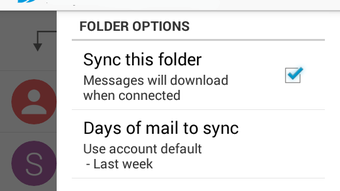
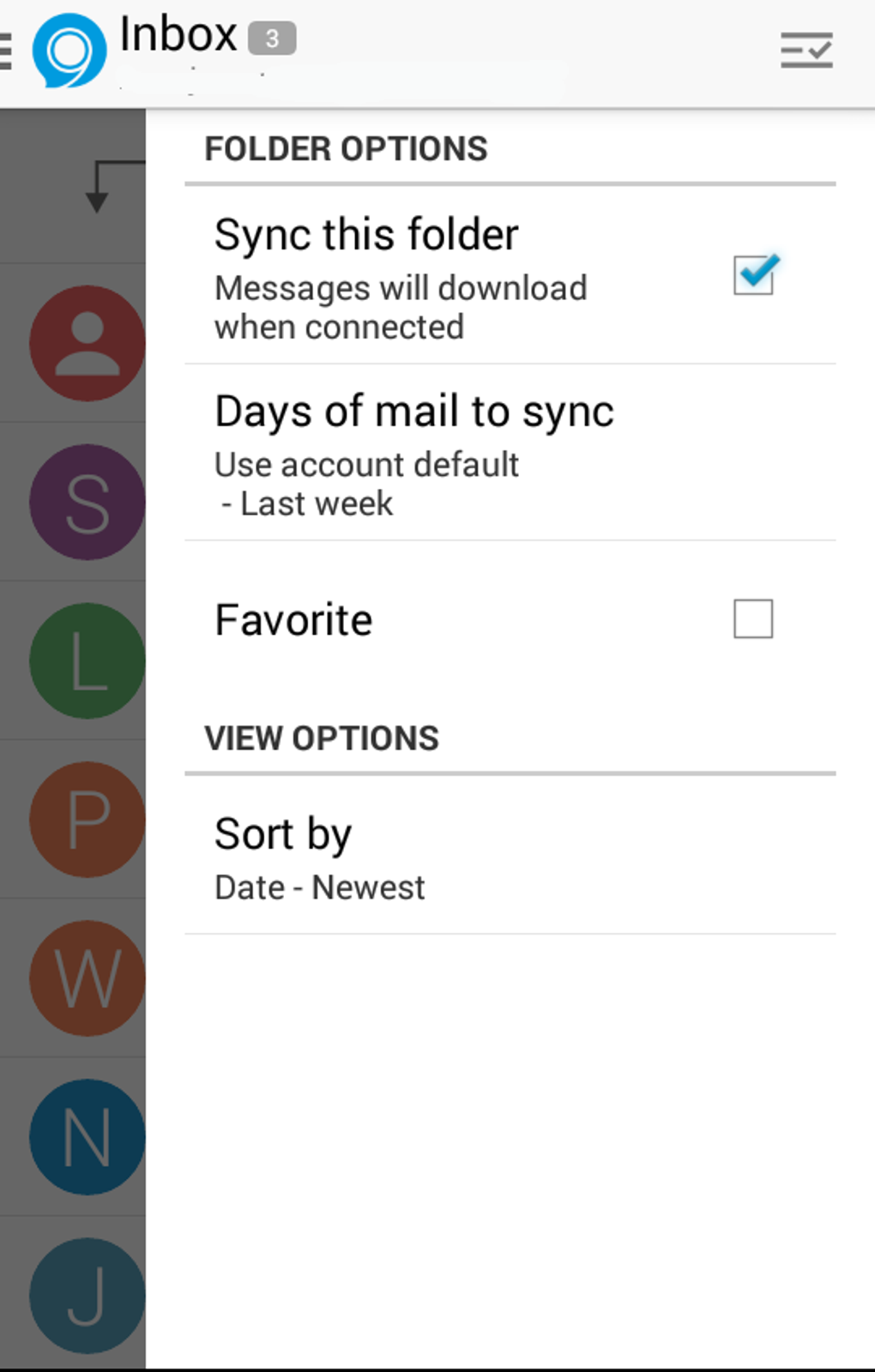
Despite this limitation, Nine offers robust customization options for syncing content, selecting folders, and setting sync schedules. The app’s focus on reducing cognitive load through visual organization and workflow automation makes it a compelling choice for users overwhelmed by fragmented digital tools.
Key Features & Capabilities
- Multi-Account Email Management – Seamlessly integrate and manage multiple email accounts within one interface, allowing users to keep personal and professional communications separate while maintaining a unified inbox view.
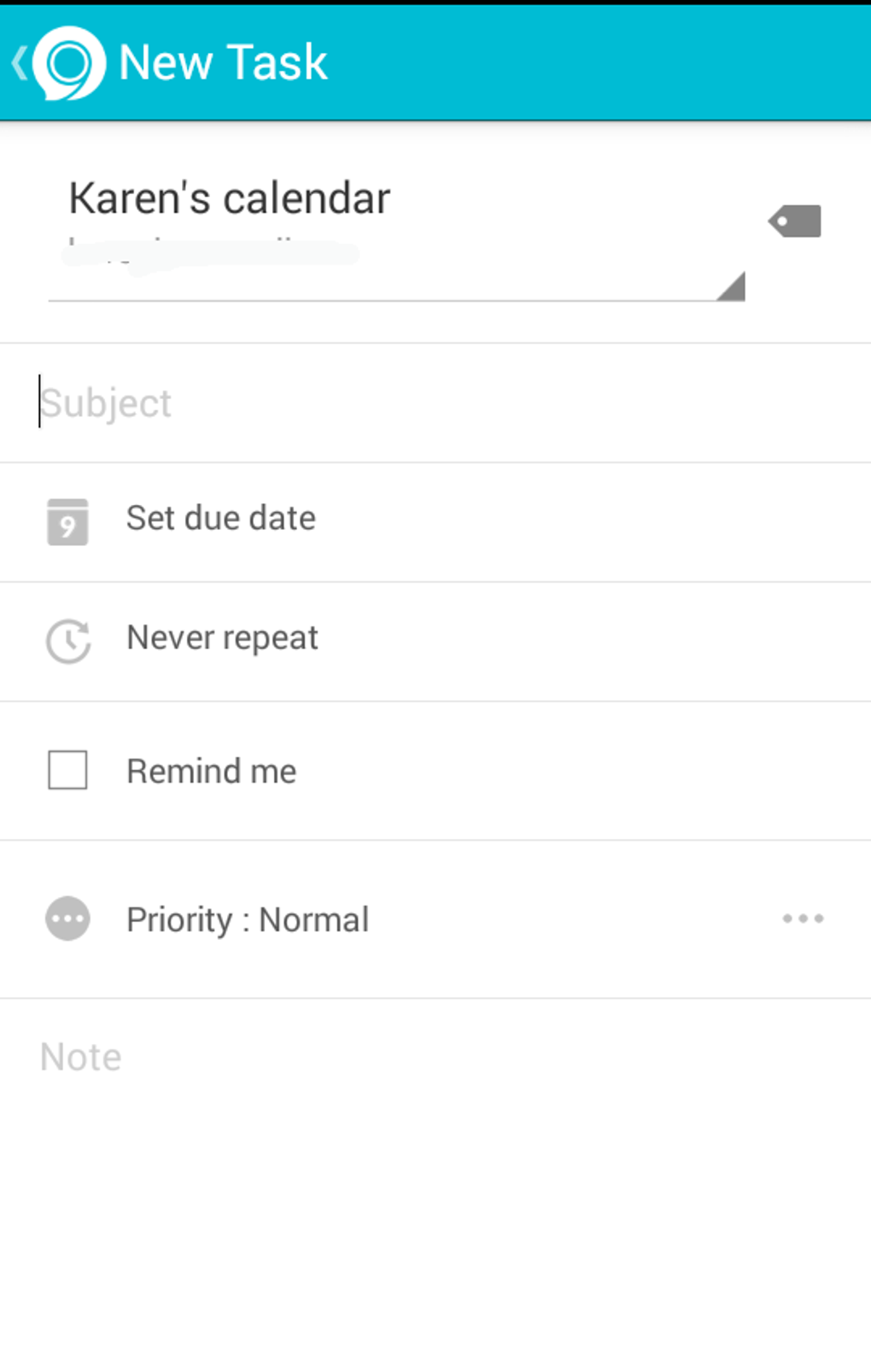
- Calendar and Task Synchronization – Sync calendars and task lists from connected accounts, enabling users to set due dates, assign priorities, and receive reminders without switching applications.
- Customizable Folder Views – Choose which folders to display and customize the default starting folder upon launch, streamlining access to frequently used content.
- Conversation View – Group related messages into threaded conversations, mimicking the layout of messaging apps like WhatsApp for improved readability and flow.
- Advanced Sorting and Filtering – Sort emails by date, sender, subject, priority, or flag status, with individual folder-specific settings for greater control over inbox organization.
- Category Tagging – Assign custom categories to emails for enhanced filtering and visual distinction, helping users prioritize and locate messages quickly.
- Swipe-to-Delete and Quick Actions – Perform common actions such as deleting or archiving messages with gesture-based controls, improving workflow speed.
- Security Features – Includes remote wipe functionality after ten failed password attempts and optional device-level password protection to safeguard sensitive data.
User Interface, Workflow & Performance
The user interface of Nine is clean and modern, designed with a sidebar layout that facilitates quick access to favorite folders, accounts, and settings. Navigation is structured around intuitive menus and consistent visual cues, allowing users to move between email, calendar, and task views with minimal friction. The workflow is optimized for efficiency, particularly for users managing high volumes of correspondence and tasks.
The conversation view enhances readability by grouping messages in a chat-like format, reducing the need to scroll through long threads. While the developer did not specify resource usage details, general software behavior patterns suggest moderate CPU and RAM consumption typical of desktop productivity tools. Performance is expected to remain stable during regular use, though complex sync operations involving multiple accounts may impact responsiveness.
The app’s stability appears strong, with no reported issues related to crashes or data loss. However, the sheer number of customizable options may lead to a steeper learning curve for new users. Some settings, such as notification controls, are buried within nested menus, requiring users to explore the interface thoroughly to locate them.
This can affect initial usability, particularly for those seeking immediate simplicity.
Compatibility & System Requirements
Nine is compatible with both Windows and Mac operating systems, making it accessible to a broad user base across desktop platforms. The software has a file size of 45.6 MB, indicating a lightweight installation that should not significantly impact disk space. The version number is 1.2.3, suggesting an active development cycle with regular updates.
The developer did not provide additional system requirements, so users should ensure their system meets general desktop application standards. Exact hardware specifications, such as minimum RAM or processor speed, were not listed. Compatibility information is limited to the operating systems mentioned.
It is important to note that Gmail accounts are not supported due to Google’s deprecation of ActiveSync, which may affect users relying on this service. For other email providers, compatibility appears to be broad, though specific details were not disclosed.
Pros and Cons
Pros
- Centralizes email, calendar, tasks, and contacts in one desktop application
- Supports multiple email accounts with separation and customization
- Conversation view improves readability and organization
- Custom sorting and filtering per folder enhances workflow control
- Strong security features including remote wipe and app/device-level passwords
- Lightweight installation at 45.6 MB
- Intuitive design with a clean, modern interface
Cons
- Does not support Gmail accounts due to ActiveSync incompatibility
- Overwhelming number of settings may confuse new users
- Notification settings are difficult to locate and manage
- Missing feature: ability to open emails in separate tabs for easier multitasking
- Limited system requirement details hinder user preparedness
FAQ Section
Is Nine compatible with Gmail?
Nine does not support Gmail accounts, as Google no longer supports ActiveSync, which is required for integration.
Can I use Nine offline?
The app supports offline access to previously synced data, allowing users to view emails and tasks without an internet connection.
How secure is Nine?
Nine includes remote wipe after ten failed password attempts and supports both app-level and device-level password protection for enhanced security.
Are updates free?
While the pricing model does not specify update policies, the developer has released version 1.2.3, indicating ongoing development and likely free updates for existing users.
What email providers does Nine support?
Nine supports most email providers that use standard protocols, though specific names were not listed. Gmail is explicitly excluded.
Final Thoughts
Nine stands out as a powerful productivity tool for users managing multiple email accounts, calendars, and tasks. Its clean interface, robust feature set, and strong security measures make it ideal for power users who value control and organization. While the lack of Gmail support and the complexity of certain settings may deter beginners, the app delivers exceptional value for those seeking a unified desktop experience.
The ability to sync and manage diverse data types in one place significantly reduces digital fragmentation. For professionals and multitaskers, Nine offers a streamlined workflow that enhances efficiency and focus. Despite minor usability hurdles, the overall experience remains positive and well-executed.
Download Nine now to transform how you manage your digital life.





.png)

